
MikLine is karaoke software for bars, clubs and DJs. Guests request songs from their phones by scanning a QR code, and the DJ runs the whole queue on one screen. Neither guests nor staff need to install an app. The name comes from Mikeda and „mic“, while „line“ is the queue. MikLine is already used in karaoke bars in Bulgaria.
How the karaoke software for bars works
- The guest scans the QR code on the table or opens the venue’s link.
- They enter a name or table number, the artist and the song. They can add a YouTube link and a note for the DJ, for example „+1 key“.
- The song joins the queue. The guest sees how many songs are ahead of theirs and in how many minutes they can request the next one.
- The DJ plays the song, marks it as sung, and it moves to the history of the night.
No registration, no guest password and nothing to download. It opens in the browser of any smartphone.
Who it is for
- Karaoke bars with singing every night, where the queue is long and paper slips get lost.
- Venues with a weekly karaoke night that want order without extra staff.
- DJs who run karaoke nights and want every request in one place, sorted and readable.
In short, it is karaoke software for bars where people come to sing, not to wait.
What guests get
- A song request from their phone in under a minute.
- A live queue: who is singing now and how many songs are waiting. You can show the whole queue or only the next few songs.
- Their place in the queue: „4 songs ahead of yours“, then „You’re up — get ready!“. It shows even when their song is beyond the songs on display.
- A timer under the „Sign me up“ button: in how many minutes and at what time they can request the next song.
- A personal counter, for example „You have 2 songs in the queue“.
- Language buttons at the top of the page, so each guest reads it in their own language.
- A clear message when requests are closed.
What the DJ gets
- A password-protected panel that refreshes itself every 10 seconds.
- Drag and drop to reorder songs.
- A „Sung“ button and editing of every request right in the table.
- A button that searches YouTube for the karaoke version, and a direct link if the guest added one.
- Opening and closing requests with one tap.
- Search by name, song or device.
- A counter of guests who are online right now.
- Six visual themes that also apply to the DJ panel, the settings and the history.
- Notifications that never take YouTube on the second screen out of full screen.
Spam protection in karaoke software for bars
Good karaoke software for bars keeps the queue fair. MikLine does it in four ways:
- Timer between requests. One device cannot request a new song before the set minutes have passed, for example 5.
- Wi-Fi lock. Only people connected to the venue’s network can request songs.
- Device ban. The DJ blocks a troublemaker with one button and can unblock them later.
- Exceptions for staff. The DJ and the bartenders can request songs without the timer.
History and statistics of karaoke nights
- Songs are grouped by night, from 06:00 to 06:00 the next day. A party that goes past midnight stays one session.
- Top 5 singers and Top 5 songs, for the night and for all time. Duets are counted per singer, and the same name written in different ways is merged.
- A sung song goes back into the queue with one tap.
- The whole history downloads as an Excel file (XLSX).
So MikLine is more than karaoke software for bars: the owner sees which nights are strongest and which songs the guests ask for.
Karaoke software for bars in your venue’s style
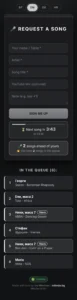
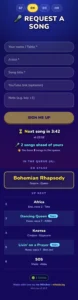
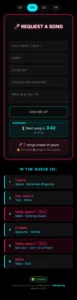
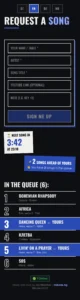
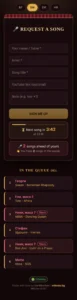
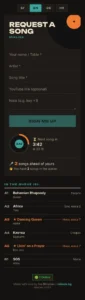
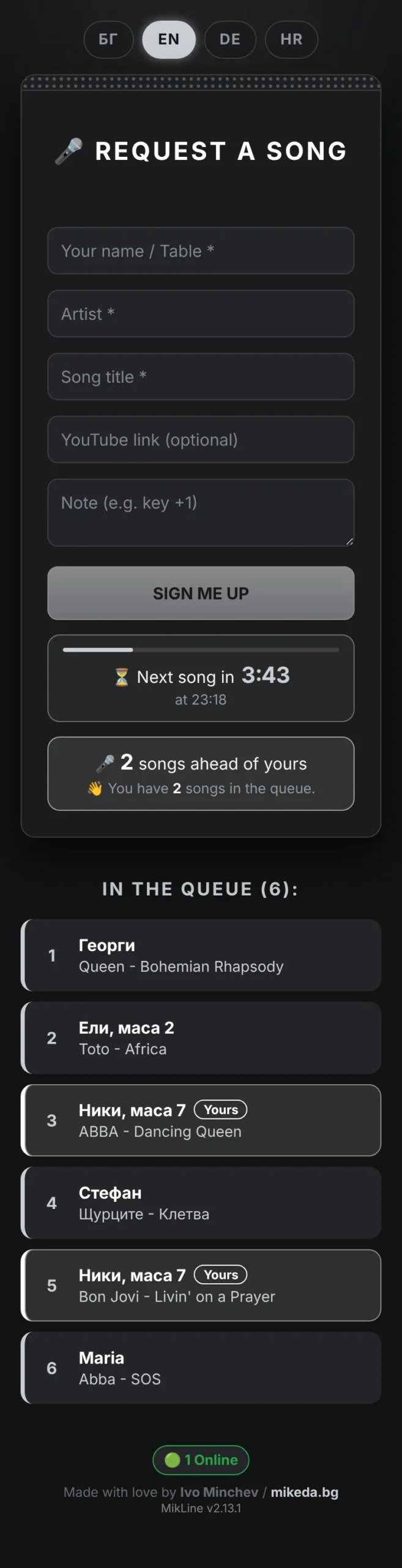
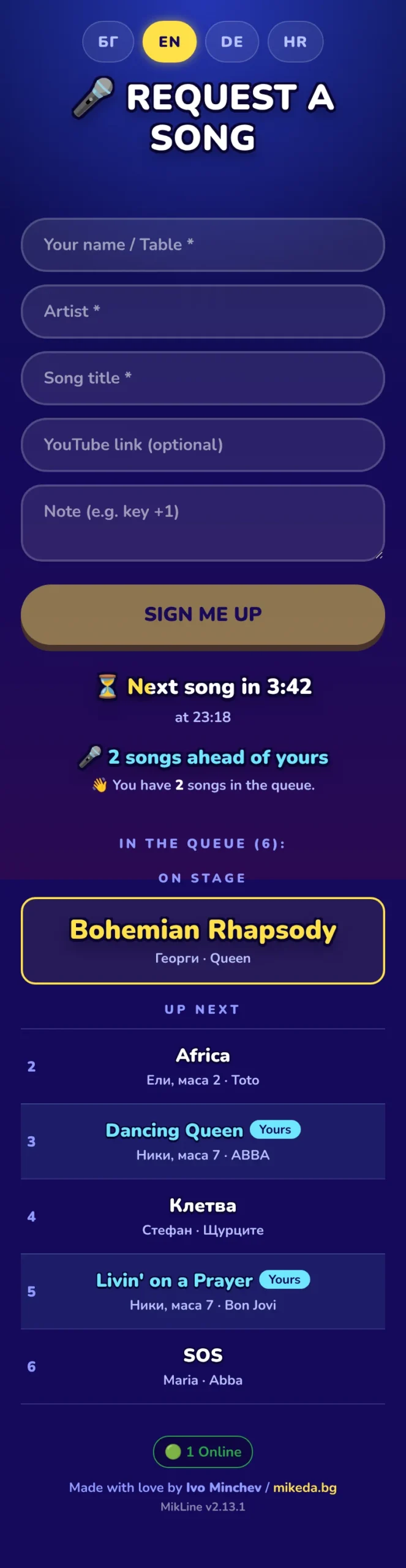
MikLine has six dark visual themes. You choose the theme in the settings, with a small preview, and it applies to the guest page, the DJ panel, the settings and the history.
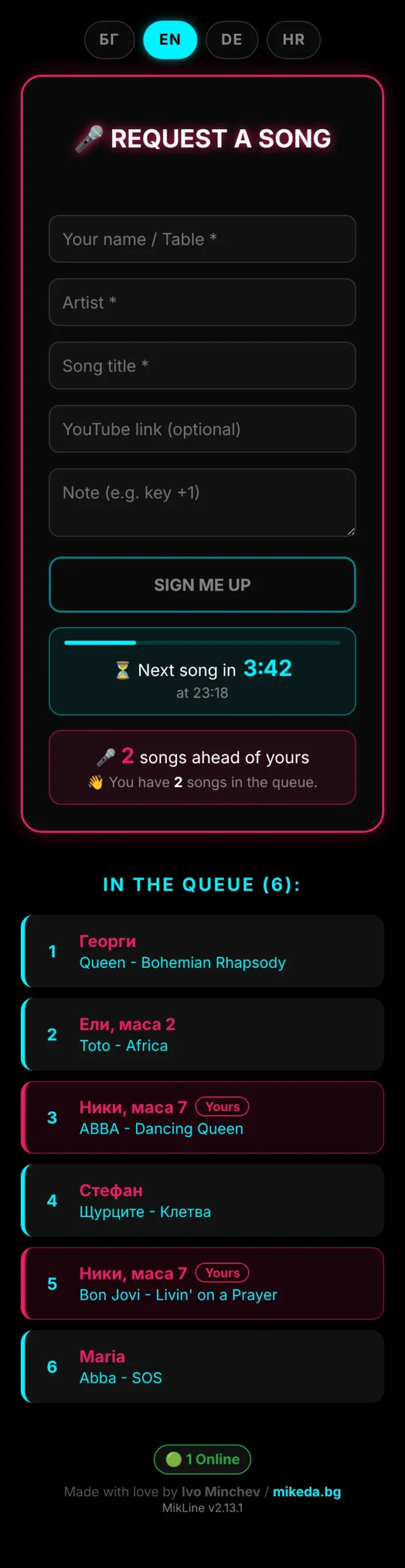
- Neon — black background with neon blue and pink.
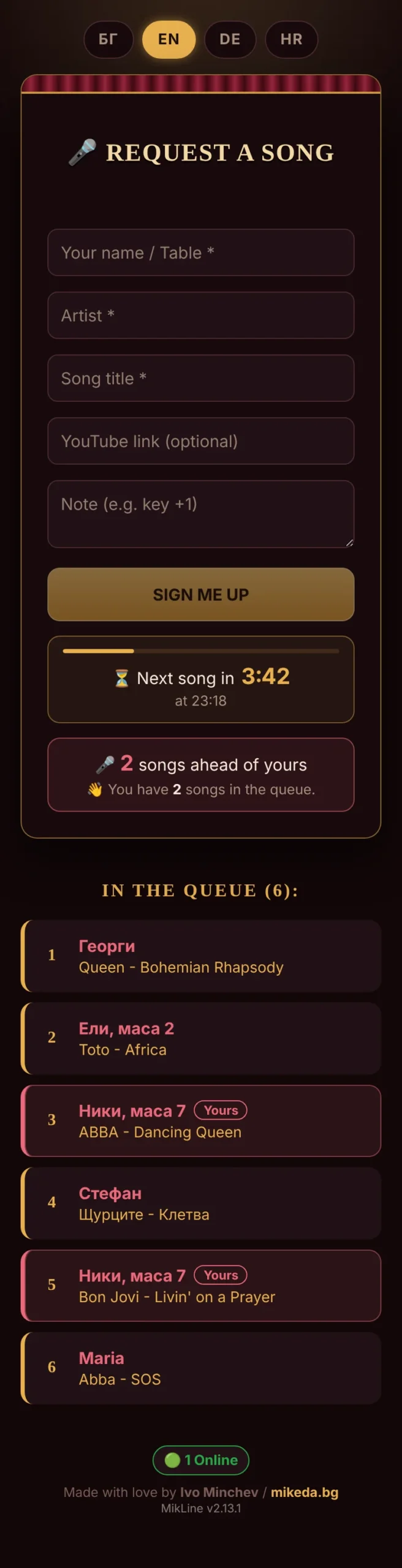
- Velvet — burgundy, brass and a curtain above the form.
- Graphite — graphite grey and silver.
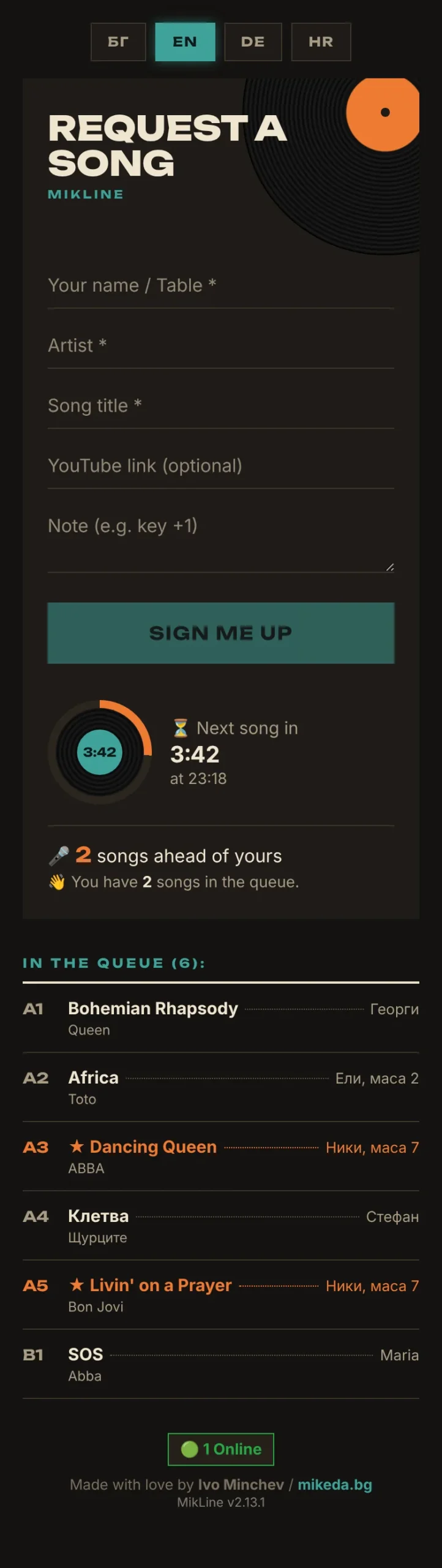
- Vinyl — like a record sleeve, with the queue as A1, A2, B1 like the back of an album.
- Karaoke — like the lyrics on a karaoke machine; the timer fills in word by word.
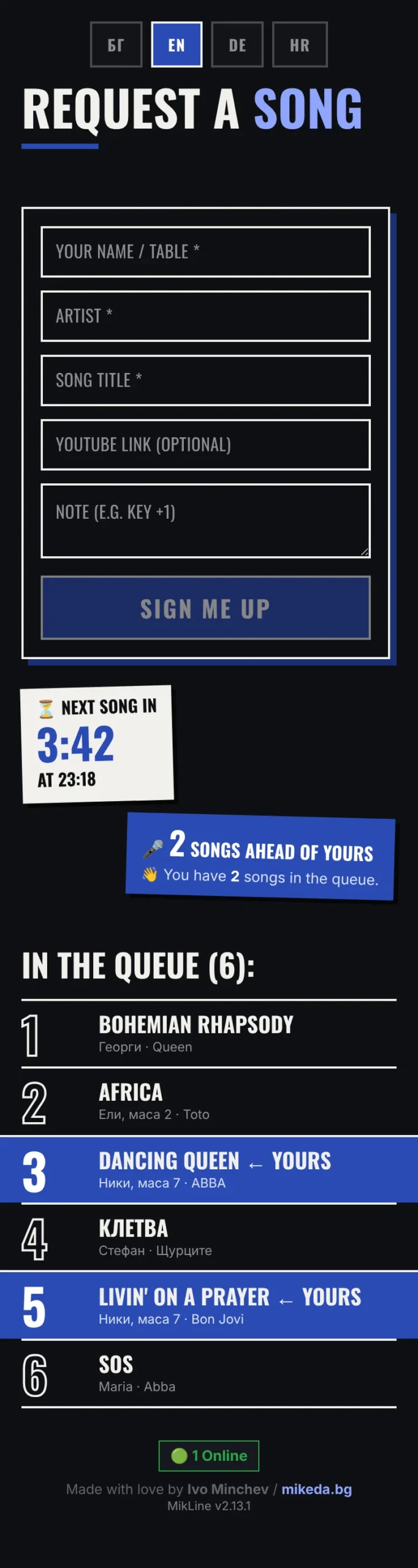
- Poster — like a concert poster, with the timer and the queue position as stuck-on stickers.
Karaoke software for bars in seven languages
MikLine works in Bulgarian, English, Croatian, Slovenian, German, Italian and Spanish. The venue’s language is set in the settings and applies to both the DJ panel and the guest page. You also choose the time zone, so the times in the queue and the timer are right outside Bulgaria too.
Guests can switch the language themselves with a button at the top of the page. The venue chooses which languages to offer, and everyone starts in the venue’s language. If your venue welcomes tourists or is abroad, the karaoke software for bars speaks your guests’ language.
Technical details
- Works in the browser on a smartphone, tablet and computer.
- No special server needed: standard hosting with PHP and MySQL.
- Installs from the browser in a few minutes.
- Supports Cyrillic, Latin and emoji in names and notes.
- The DJ panel is protected by a session, and guest input is protected against XSS attacks.
- Fonts load from our server, not from Google Fonts. The guest page makes no external requests, and guests’ IP addresses never reach Google.
- After a database restart the system reconnects by itself, and the timer keeps working.
Try the karaoke software for bars now
The demo is open to everyone. Open the guest page on your phone and the DJ panel on your computer, then request a few songs.
- Guest page: mikeda.bg/karaoke
- DJ panel: mikeda.bg/karaoke/djcontrol
- DJ panel password: [NEW DEMO PASSWORD]
The demo resets at the start of every hour: songs, history and settings go back to the defaults. Feel free to try the themes and the languages.
For an offer for your venue, contact us:
- Email: office@mikeda.bg
- Phone: +359 878 560 690